Let AI Edit Your Videos
An AI can cut your raw recording into a finished video while you watch. Here is my exact setup, the two words I say on camera that delete bad takes, and the paragraph I paste into Claude.
 Ryan FrizellePublished Aug 13, 2026
What you'll walk away with
- The exact paragraph I paste into Claude to cut a video
- A two-word on-camera trick that deletes bad takes for you
- One command that connects Claude to your editor
Two ways to do this
Want to set this up immediately without having to build it?
BetterReply is where my video editor lives, and the AI edit is built in. Upload your raw video, run Magic Edit, and the filler words and dead pauses are gone. I use BetterReply for my entire social media. This link gives you a 14 day free trial, instead of their usual 7 day free trial.
Start Your 14 Day FREE TrialOtherwise, build it yourself. The rest of this page is the full agent setup I use: the recording trick, the API key, and the exact paragraph I paste into Claude.
Editing used to eat hours of my week. Every bad take and every dead pause, cut by hand, one at a time.
Now an AI editor does all of that for me. I record my video, type one paragraph, and it hands me back a finished cut while I watch.
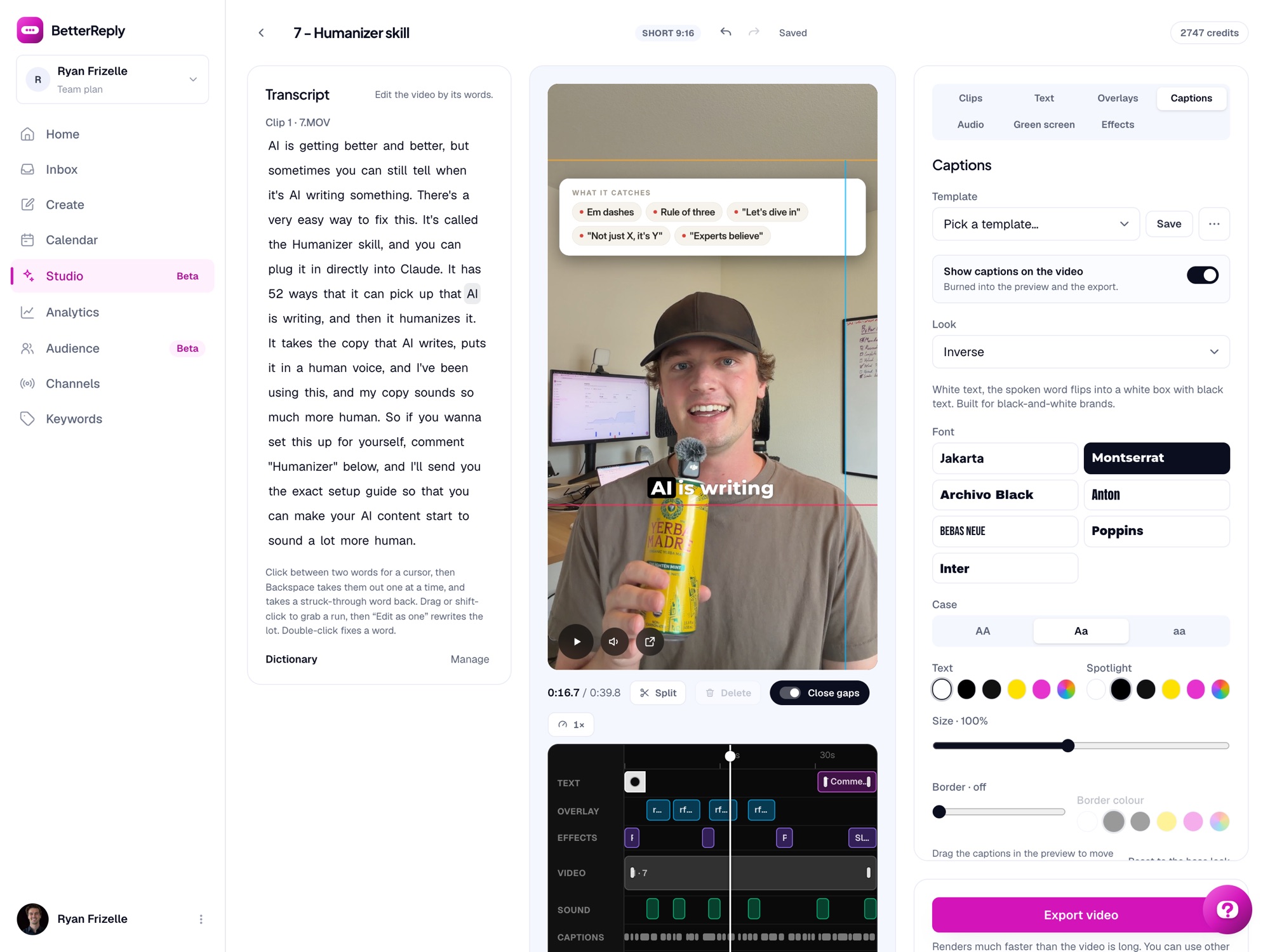
What used to be hours in my editor is now a couple minutes of checking its work. Here is what that looks like on one of my shorts:
How it runs
Here is what you will do:
- 1Record like you always do. When you mess up a line, just say "scratch that" and keep rolling.
- 2Connect Claude to your video editor once, with one command.
- 3Paste one paragraph, check the cut list it shows you, and export your finished video.
The paragraph I paste in
Open my BetterReply Studio project called [PROJECT NAME] and edit it.

My rules:
- Cut the dead space. Shorten any pause longer than 0.6 seconds down to about 0.25 seconds.
- When I mess up a line on camera I say "scratch that" and read it again. Find every one, remove the bad take, and keep the LAST version of the line. Careful: the transcript sometimes hears my marker as "scratch at" or "scratch app", so read the context instead of matching exact words.
- Before you cut anything, show me the full cut list as plain text: the last few words before each cut and the first few words after. If a join reads like one clean sentence, it will sound clean in the video. Wait for my approval.
- After the edit, give me a short report: what you cut, what you kept, and anything you were not sure about.Why this works
Here is why that works. My editor keeps every project as one document Claude can read and write, and the transcript knows the exact moment every word was said.
So editing stops being hours of dragging clips around a screen. It becomes a reading and writing problem, and that is the thing Claude is absurdly good at.
Set it up once
Here is the setup. You only do this once:
- 1Grab BetterReply with the trial card above and open Studio. That is the video editor.
- 2Create a project and upload your raw video. Let it transcribe, that is what gives every word its own timestamp.
- 3Go to Settings, open API keys, and create a key. It starts with br_ and you only see it once, so copy it right there.
- 4Run the command below in your terminal. Not a Claude Code person? Any AI tool that speaks MCP (the standard that lets an AI use other apps) connects with the same URL and key.
- 5Open a new Claude chat and paste the edit paragraph from above with your project name in it.
claude mcp add --transport http betterreply https://betterreply.com/api/mcp \
--header "Authorization: Bearer [YOUR API KEY]"Now the part that never gets old. Keep your project open in a tab while Claude works and you literally watch your timeline cut itself, and undo works on its edits the same as yours.
One honest warning
One honest warning. My edit once had 32 seconds of dead air that every report swore was not there, because the silence was hiding inside single words.
So always watch the finished video with your own ears before it goes out. Two minutes of checking still beats hours of editing, every single time.
What I actually do now
That is my whole editing workflow now. I record, Claude cuts, I check it, and it goes out.
The hours I used to lose to editing go back into actually making videos. If editing is the reason your recordings sit unfinished on your drive, this is your way out.
Let AI edit your next video
Everything in this guide runs on BetterReply. Start your free trial, upload your next raw recording, and let the AI editor do the cutting for you.
Start Editing With AI Today14 day free trial with my link, instead of the usual 7.